


Toca Boca Jr Kitchen NETFLIX
3.836.00 Reviews
App Specs
- Version
- 1.0.2
- Updated On
- License
- Free
- Downloads
- 1,000,000+
- Developer
- Netflix, Inc.
- Categories
- Educational
- Platform
- Android
Screenshots




 Analysis by AppCompare
When a child asks to “make dinner” on a phone while someone is trying to use it for something else, a cooking game can be a handy way to turn waiting time into pretend play. Toca Boca Jr Kitchen NETFLIX is aimed at that kind of simple, child-friendly session: it gives kids a digital kitchen to explore rather than asking them to follow a lesson or compete for a score. I see its biggest appeal in how easily a grown-up can invite a child to play for a few minutes, then hand the device back without needing to manage a complicated game routine.
When a few minutes of pretend cooking help
I can picture this fitting into a familiar household moment: dinner is nearly ready, one adult is finishing a task, and a child wants something to do on the family tablet. A brief turn gives the child a theme to play with while the adult remains close enough to keep an eye on the device. It is a better match for that small gap than a game that requires a long setup or asks the child to remember a complicated sequence.
There is also a useful way to make the turn feel less like passive screen time. I would ask the child to describe the meal they are imagining, then let them lead the conversation instead of quizzing them about ingredients. That keeps the activity playful and gives a sibling or adult a natural way to join in. If the child wants to play quietly, that is fine too; the point is that the kitchen theme can support either solo pretend play or a shared conversation.
Cooking play that fits a shared device
This is an educational game from Netflix, Inc., though its educational value is informal. The cooking theme gives children a familiar setting for trying things out, making choices and imagining what a meal might be. It is not a substitute for a cooking lesson, and I would not treat it as one. Its strength is offering a low-pressure activity when a child wants to imitate kitchen life without handling real ingredients or utensils.
On a shared tablet or phone, that open-ended approach can be useful. One child can have a short turn while a sibling waits, or an adult can sit nearby and turn the play into a conversation: What might go with that? Who are we making this for? The app works best when the device is already available and a grown-up can set expectations about whose turn it is. The game itself should not be relied on to coordinate a household’s device sharing.
The store describes it as a cooking game for kids, and that is the right expectation to bring. I would choose it for imaginative play rather than for structured puzzles, reading practice or a clear sequence of educational goals. If a child enjoys pretending to prepare food, the kitchen theme gives them an immediate starting point. If they mainly want levels, prizes or increasingly difficult challenges, a more goal-driven game may hold their attention better.
What a useful play session looks like
A practical way to use it is as a short activity before a meal or while an adult is finishing a household task nearby. Instead of handing over the phone and walking away, I would stay within earshot and let the child narrate what they are doing. That keeps the game social and makes it easier to end the session calmly when the device is needed again. It also helps distinguish pretend cooking from real cooking: children can enjoy the theme while understanding that actual kitchen tools and food still need adult supervision.
Worth Reading Before You Choose

Baby Panda World Brings Quick Play to Modern Phones, but Its Game Library Feels Busy

ESPN’s Live Game View Makes Following Close Games Easier

QuizzLand Review: A Good Fit for Short Trivia Breaks, Not Every Player

Basketball Stars: Multiplayer Is Fast, but Can It Recover When Matches Go Wrong?

WEBTOON Turns Phone Updates Into a Better Reading Routine

Link to Windows Runs on Shared Habits, Not Social Feeds
For siblings, I would agree on turns before opening the game. A simple handoff works better than expecting a game to settle disagreements. The same advice applies when a device belongs to an adult: tell the child how long they can play in ordinary terms, and decide what happens when that time is up. These small routines matter more in a shared household than any in-game activity, because the main friction is often the device, not the cooking theme.
One practical compromise is to give the child a predictable stopping point before play starts, such as finishing the current pretend meal or taking one short turn before handing the tablet over. I would avoid promising an exact amount of play unless the adult can reliably enforce it; a clear household cue is easier to understand than a negotiation in the middle of a session. If two children both want a turn, deciding who goes first before the game opens can prevent the screen itself from becoming the focus of the disagreement.
Keep the account and device arrangements clear
The game is free, which makes it easier to consider as a casual addition, but a household should still think about where it is installed and who uses the device. If a phone is used for work, messaging or personal accounts, I prefer keeping a child’s play session supervised and handing over only what the child needs. On a family tablet, it helps to make the device’s role clear: this is a shared screen for a particular activity, not a reason to open unrelated apps or settings.
Netflix, Inc. is the developer, and the title includes Netflix in its name. That association may make it seem as though a child should use an adult’s entertainment account or profile, but I would not assume that the game itself manages household profiles or sets boundaries for children. The sensible approach is to use the device and account arrangements the adult already trusts, check the current app setup before a child plays, and avoid sharing passwords or private account details just to get started.
On a device that several people use, I would also make sure the child knows how to return to the game and how to stop playing without changing other people’s settings. That is not a special feature of this title; it is a practical shared-device habit. The game is most convenient when an adult can prepare the device first, then let the child focus on play rather than navigating the rest of a phone or tablet.
If the device is borrowed from an adult, I would open the game and check the screen before handing it over, then keep the phone or tablet within reach. This small setup step is useful for any child-facing activity on a shared device: it avoids asking a young player to navigate through someone else’s home screen, notifications or personal apps. On a family tablet used mainly for children, the same check still helps establish that the child is there for this activity and knows how to return the device when the turn ends.
Age fit and adult confidence
Its content rating is Everyone, so the listed age context is broad and suitable for general audiences. In practice, I would judge fit by the individual child’s interest and ability to use the device responsibly, rather than by the rating alone. A younger child may enjoy the kitchen idea with an adult nearby; an older child who expects more challenge may find the open-ended format too simple. The rating is reassuring about the intended audience, but it does not tell a parent whether the play style will suit a particular child.
For trust, I would treat this like any app a child uses on a shared device: set it up as the adult, review what appears on screen, and stay available for questions. That is especially useful the first time, when a child is learning how the game behaves and where to tap. I would not promise that the app supplies parental controls or a child-specific account experience; instead, I would rely on the family’s device habits and adult supervision.
There is a useful distinction between a game being child-friendly and a game being educational in a formal sense. This one belongs in the first group more naturally. It can encourage imaginative choices and give an adult a prompt for talking about meals, ingredients or helping at home, but those benefits come from how the family uses the play session. A child who needs guided instruction or a curriculum-like activity would be better served by a more structured learning app.
That difference matters if a parent is choosing between this and a learning game for a particular purpose. If the goal is a calm imaginative break, the lack of a lesson plan is not a flaw; it leaves room for the child to invent the activity. If the goal is practising letters, counting or a specific school skill, I would pick an app designed around that goal and use this one only when free-form play is the point.
How it compares with other children’s games
Compared with common educational games built around quizzes, letter practice or timed tasks, this cooking game is a more relaxed choice. That can be a plus when a child is tired or when an adult wants something that does not turn every action into a test. It is also a limitation: the app is not the one I would pick when the goal is to practise a specific skill and see clear progress.
Compared with other pretend-play titles, the kitchen setting is a focused theme rather than a general collection of activities. That can make it easier for a child who already likes cooking role-play to settle in, while a child who quickly wants new kinds of play may prefer a broader game. I would choose based on the child’s habits: does pretending to prepare food keep them engaged, or do they need frequent changes and explicit goals?
The game has a 3.8 average from around 1,300 ratings, with more than 1 million installs. Those figures suggest it has reached a sizeable audience, but they do not predict whether a specific child will enjoy its pace. I would use them as background, not as a substitute for trying a brief supervised session and watching whether the child stays interested without needing constant adult help.
Version, access and everyday trade-offs
The current version is 1.0.2, and the listed minimum operating system is 10. Before installing, I would check that the intended device meets that requirement and has enough room for the app alongside the family’s other needs. The game is free, but that alone does not answer every household question about device access or account setup, so I would review the installation flow myself before passing the device to a child.
For an everyday routine, the best fit is a short, supervised turn on a device that is already set up for children’s use. It is less suitable as a way to occupy a child for a long stretch while adults are unavailable, because the appeal here is pretend play, not a fully self-managing activity. If the child repeatedly asks for help navigating the device or loses interest quickly, that is a sign to choose a different activity rather than to expect the game to solve the mismatch.
One small but worthwhile tip is to connect play to something happening at home without turning it into a lesson. A child can pretend to make a meal before dinner, then help with a safe, age-appropriate real task if an adult invites them. The game can be a conversation starter, not a promise that screen play will teach kitchen safety or practical cooking. Keeping that boundary clear lets the imaginative part remain fun.
For installation, I would first check the device’s operating system rather than discovering a compatibility issue when a child is ready to play. The game’s current version is 1.0.2, and it requires operating system 10 or later. That is a straightforward check, but it matters in a household where an older spare tablet might otherwise seem like the obvious device to lend.
My household verdict
I would recommend Toca Boca Jr Kitchen NETFLIX to families looking for a gentle cooking-themed activity that can fit into a short shared-device turn. It makes the most sense for a child who enjoys pretend play and for an adult willing to set the boundaries around turns, accounts and stopping time. The Everyone rating and free price make it approachable, while the simple premise keeps the choice easy to explain to a child.
I would skip it if the main goal is formal learning, a competitive challenge or a game that will occupy a child independently for a long period. I would also look elsewhere if kitchen role-play is not an interest. For the right child, though, it can turn an ordinary waiting moment into a small imaginative break. My recommendation is to try it together first, see whether the child naturally invents their own play, and keep the device-sharing rules outside the game clear and consistent.
Pros
- Creative cooking play encourages experimentation without strict rules.
- Simple touch controls are accessible for younger children.
- Bright visuals and playful sound effects make the kitchen engaging.
- Food preparation offers several steps to explore
- from chopping to serving.
- No real-world cooking knowledge is needed to enjoy the activities.
Cons
- Requires a Netflix membership to access.
- Gameplay may feel repetitive after children have tried the available recipes.
- Limited challenge may not hold the interest of older kids.
- Some activities can be unclear without guidance for very young players.
- Availability and features may vary by device and region.
FAQs for Toca Boca Jr Kitchen NETFLIX
What is Toca Boca Jr Kitchen NETFLIX?
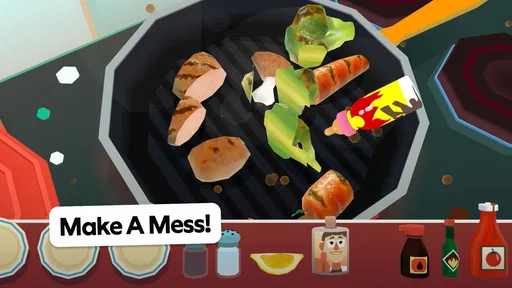
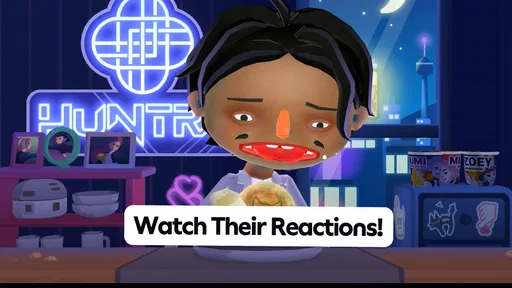
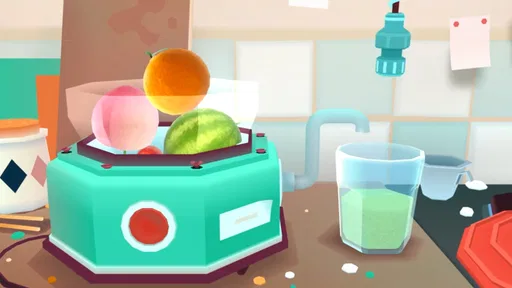
Toca Boca Jr Kitchen NETFLIX is a child-friendly cooking game from the Toca Boca Jr collection, available through Netflix. It lets young players explore pretend cooking by choosing ingredients, preparing food, and serving dishes to playful characters. Rather than focusing on scores or realistic recipes, the experience encourages open-ended experimentation. Availability and included content can vary by device, region, and Netflix membership, so check the app listing before downloading.
Do I need a Netflix subscription to play Toca Boca Jr Kitchen NETFLIX?
Yes, access to this Netflix edition generally requires an active Netflix membership and sign-in with a Netflix account. The game is offered through Netflix Games, so it is not the same as purchasing a separate standalone version from an app store. Check the current store listing for supported countries, devices, and account requirements. If you share a device, an adult may need to sign in and manage the account setup.
Is Toca Boca Jr Kitchen NETFLIX suitable for young children?
The game is designed as a playful, low-pressure cooking experience for children, with colorful visuals and simple interactions rather than competitive challenges. Children can try food-preparation activities at their own pace, which may make it approachable for early players. However, age guidance and suitability can differ by region and device. Parents should review the app-store rating, play alongside younger children when appropriate, and check Netflix’s parental controls and profile settings.
Does Toca Boca Jr Kitchen NETFLIX work offline, and what devices support it?
Requirements for downloading and playing can depend on the device, operating system, and version of the app. Some Netflix games may allow play after installation without a continuous connection, but initial download, account verification, updates, or other features may require internet access. Check the current Google Play or Apple App Store listing for compatible devices and system versions, and make sure your device has enough storage before installing.
Is Toca Boca Jr Kitchen NETFLIX free, and does it include ads or in-app purchases?
The game is typically included with an eligible Netflix membership rather than offered as a separate paid download, though the membership itself is paid and availability may vary by region. Netflix Games titles are generally presented without third-party advertisements or additional in-app purchases, but terms and features can change. Before installing, read the latest app-store description and confirm that the title is included with your plan and available in your country.


